
Roles in the Academy Work Group
1. Host (1 User)
✅ Assigned by the admin and has full control over the session.
✅ Manages participant permissions, allowing users to speak or share video.
✅ Moderates Q&A sessions using the hand-raising feature.
2. Publishers (Up to 12 Users)
✅ Authorized by the host to share audio and video streams.
✅ Can be assigned dynamically during the session.
✅ A maximum of 12 audio/video streams can be active at the same time.
3. Additional Participants (Up to 100 Users)
✅ Can join and follow the session but cannot share audio/video by default.
✅ Can use the hand-raising feature to request participation.
✅ The host decides whether to enable their audio/video.
📌 Important: Number of publishers and participants can be adjusted by your VSight account administrator.
Key Features of the Academy Work Group
✅ Large-Scale Participation – Supports up to 112 participants per session.
✅ Moderated Discussions – Hosts control interactions using the hand-raising feature.
✅ Role-Based Permissions – Participants have defined roles to manage interaction.
✅ Pinned Video Streams – The host can pin a video stream to highlight a speaker.
✅ Secure & Controlled Environment – Only authorized users can speak or share video.
Overview of Main Functions
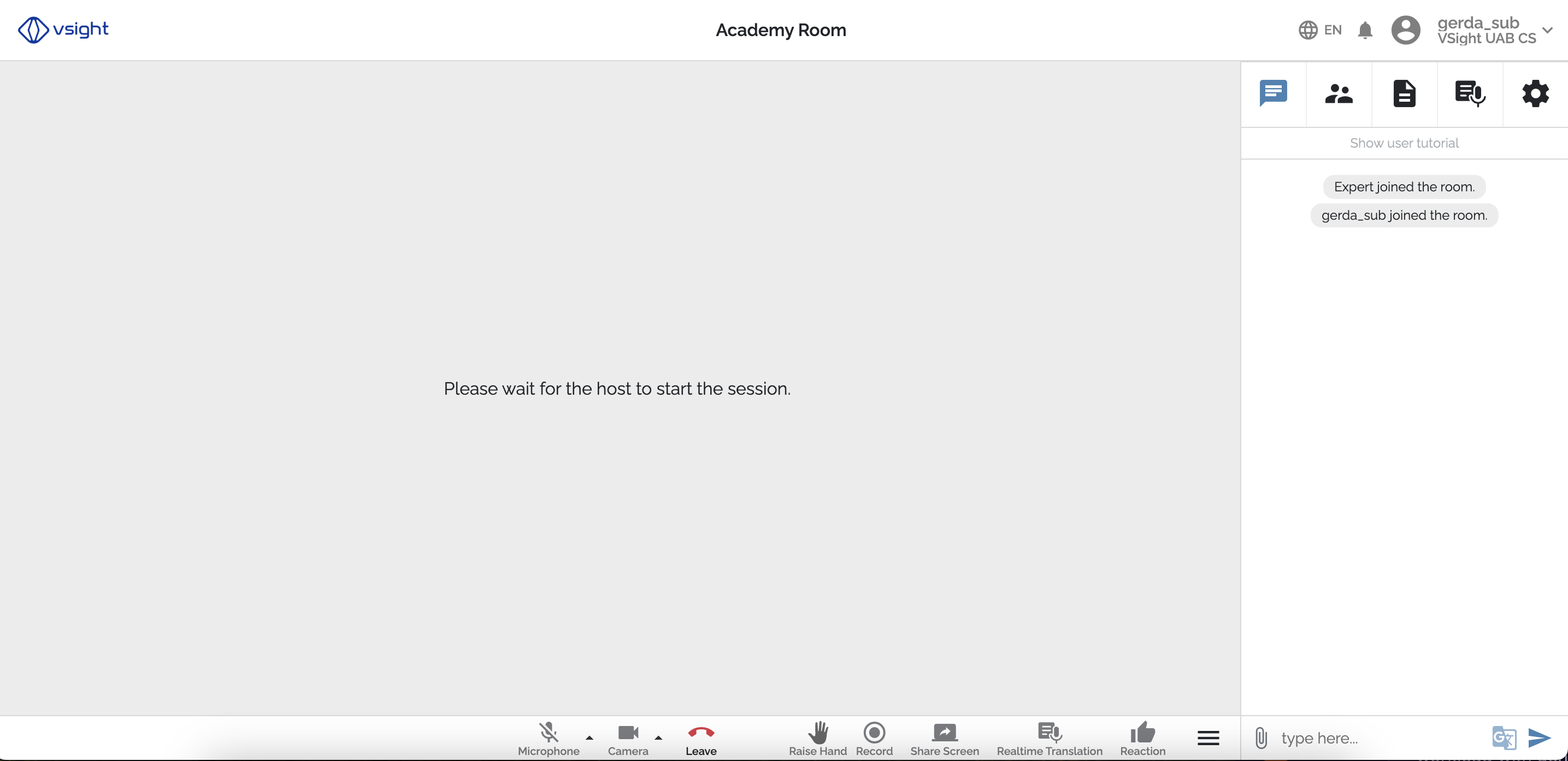
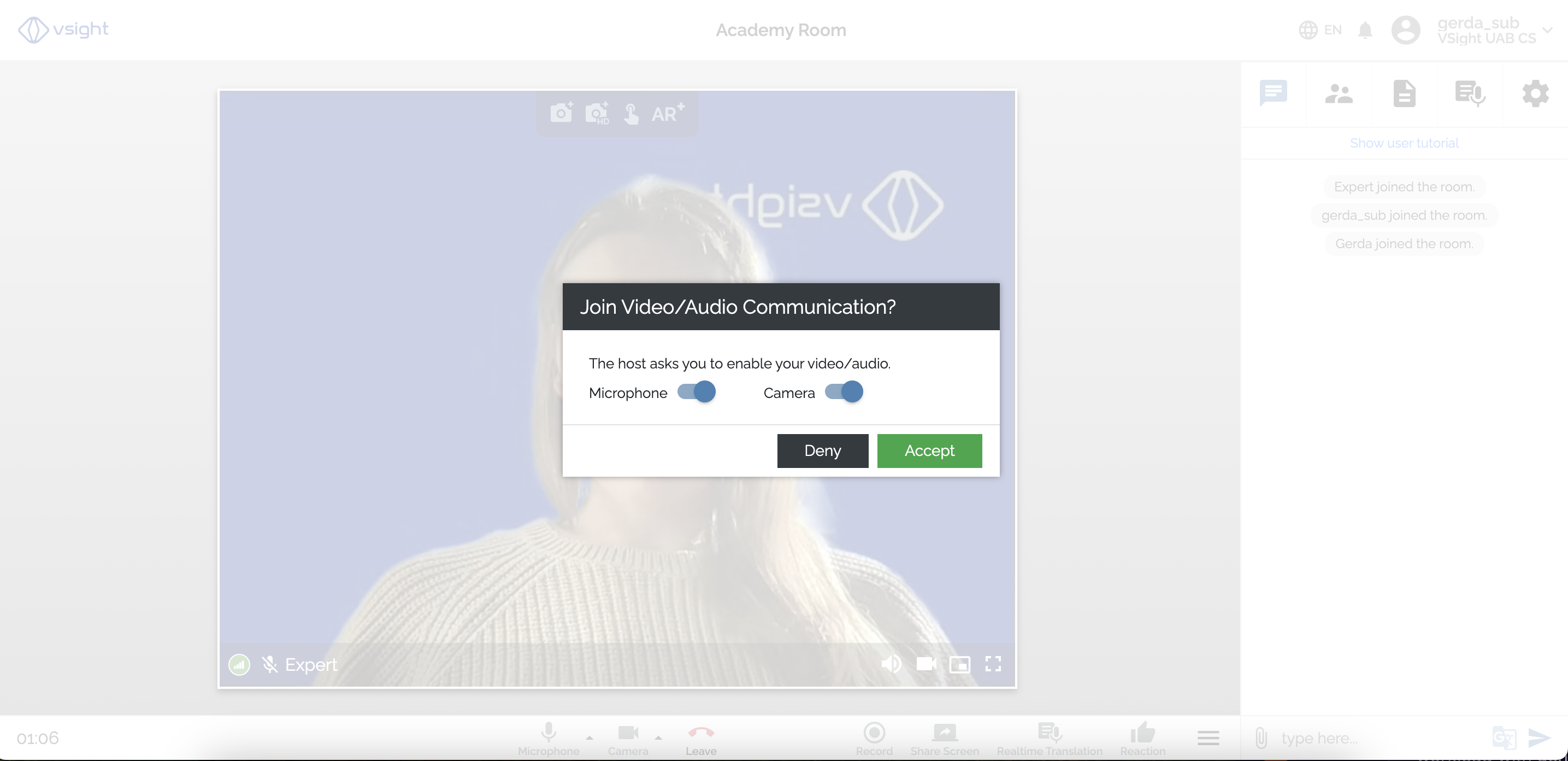
View of Participants
✅ Participants will see what is displayed by the host or publishers on the screen.
✅ They can raise a hand to ask questions. In this case, they will be asked to enable their camera and/ or microphone.
View of the Host
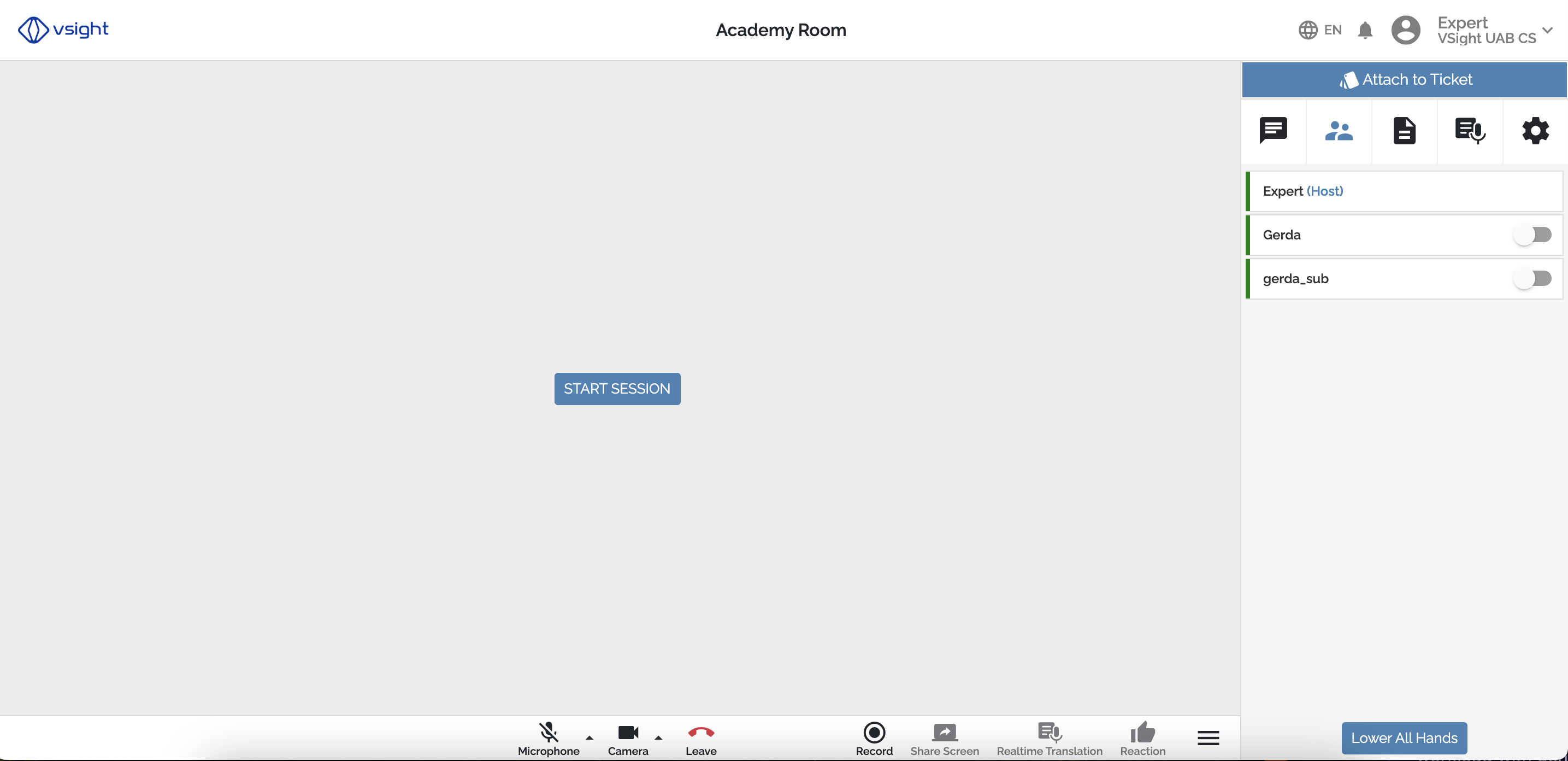
Host will be able to:
✅ Start and stop the session.
✅ See who raises their hand.
✅ Ask to enable audio and/or video of a participant or disable it.
How to Enable the Academy Room?
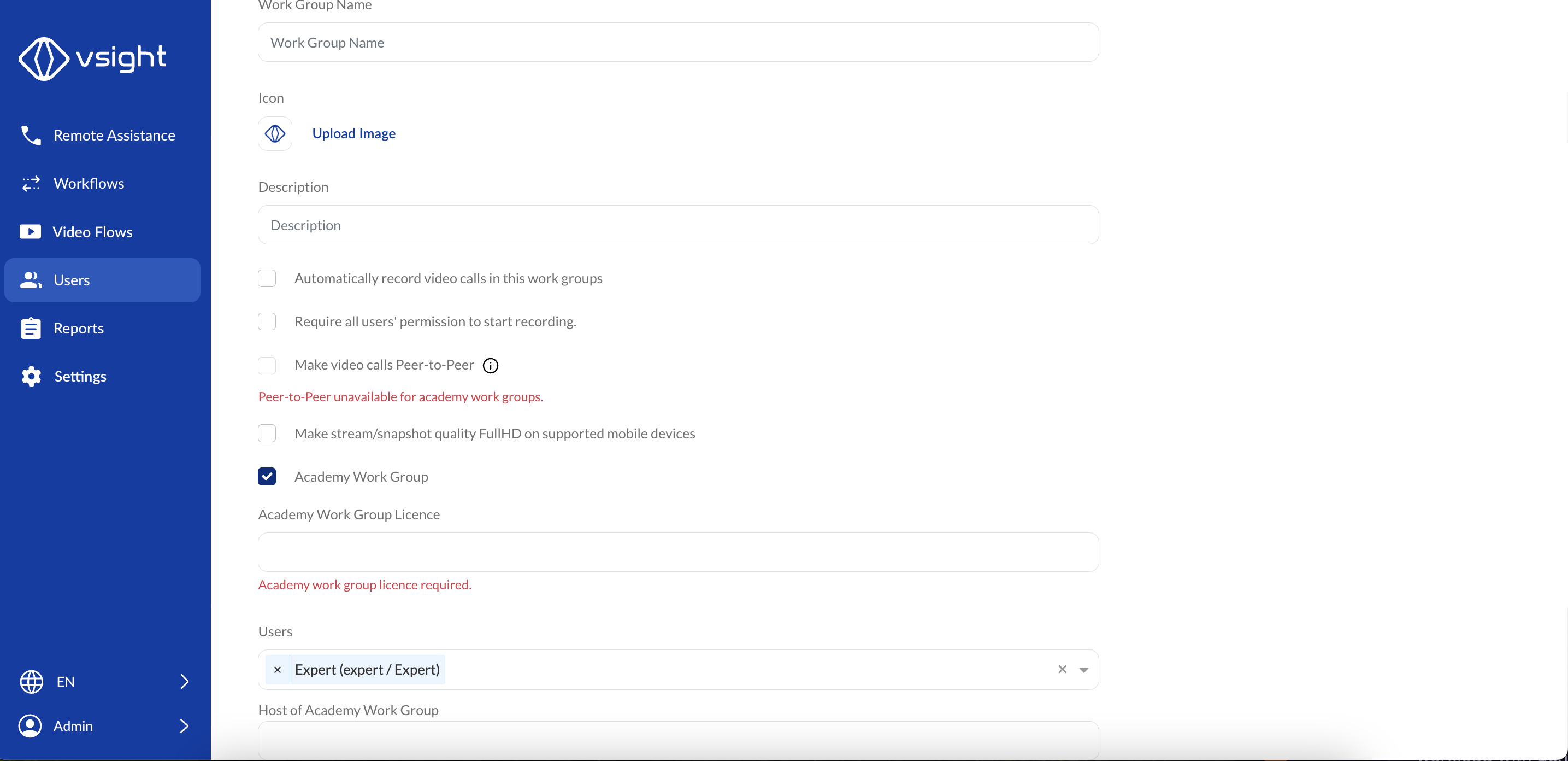
1️⃣ The admin must enable the “Academy Work Group” option when setting up a new work group.
2️⃣ Additional configuration options will appear for training room settings.
3️⃣ A special Academy Room license is required (contact your VSight account administrator).
4️⃣ Assign at least one user as the host when creating the room.
Important Notes
🔹 The Academy Room is an add-on feature and is not included in standard licenses.
🔹 Peer-to-Peer (P2P) calls are not available in Academy Rooms.
🔹 To purchase or activate an Academy Room license, contact your VSight account administrator).
The Academy Room is an ideal solution for organizations looking to provide structured, interactive training sessions with large audiences while maintaining moderation and control.
📌 Need More Help? – Visit the VSight Help Center or contact support for assistance.