
How to Assign a Workflow to Users
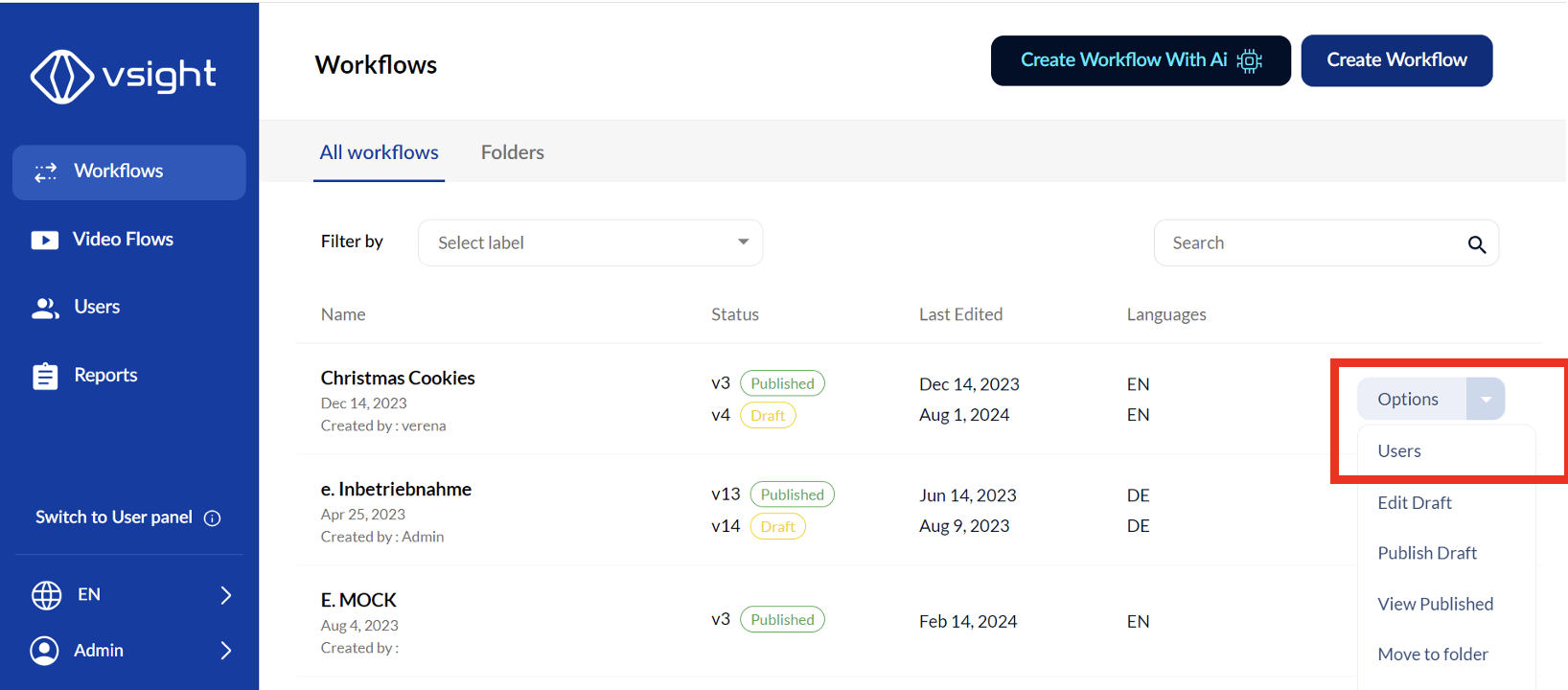
1. Open the Workflow Assignment Panel
✅ Select the workflow you want to assign.
✅ Click on “User” in the options on the right side of the screen.
2. Select Users
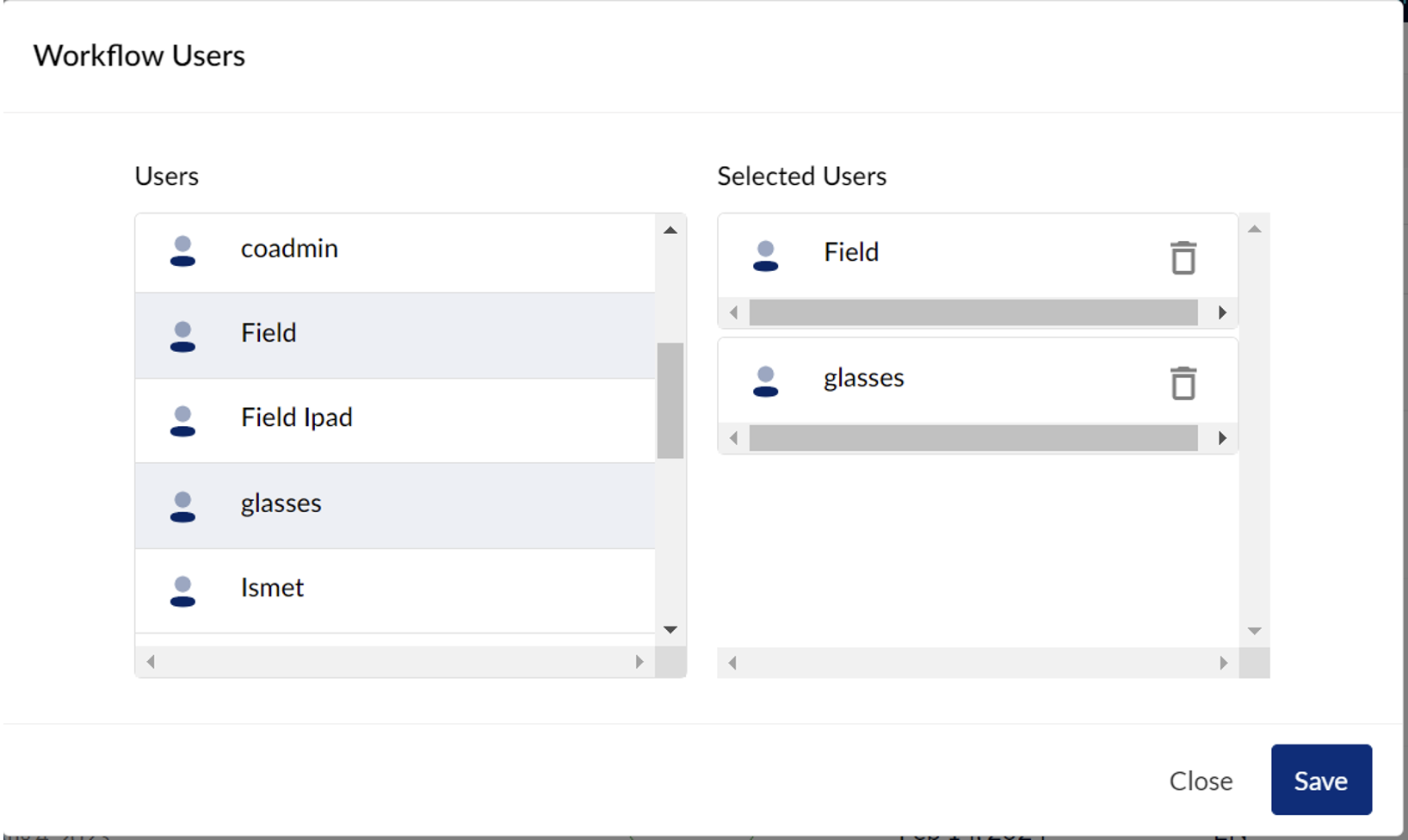
✅ From the user list on the left, choose the users who should have access to the workflow.
✅ Assigned users will appear under “Selected Users” on the right.
3. Revoking User Access
✅ To remove a user’s access, click the recycle bin icon next to their name under “Selected Users.”
By managing workflow assignments, you can ensure that the right users have access to the workflows they need while maintaining control over permissions.
📌 Need More Help? – See further information at VSight Help Center or contact support for assistance.