
1. Common Troubleshooting Issues & Solutions
1.1 Login Issues
🔹 Forgot password? → Contact your account admin to reset your password.
🔹 Incorrect login details? → Ensure you’ve entered credentials exactly as shown, including uppercase/lowercase letters.
🔹 Multiple device login? → You cannot be logged into multiple devices at the same time. Log out from the previous device before signing in.
1.2 Workflow Access & Visibility Issues
🔹 Can’t find assigned workflows? → Check the “My Workflows” section or use the search bar.
🔹 Workflows not loading? → Refresh your browser or restart the app.
🔹 Missing steps or sections? → Ensure the workflow is published and not in draft mode.
1.3 Workflow Editing & Management Issues
🔹 Can’t edit a workflow? → Only admins and experts can edit workflows. Check your user role.
🔹 Workflow changes not saving? → Ensure you click “Save Changes” before leaving the page.
🔹 Moving steps disabled? → If conditions are activated, steps can no longer be moved to maintain logical workflow order.
2. Frequently Asked Questions (FAQs)
2.1 General Questions
❓ Who can create workflows?
✔️ Admins and Experts can create and edit workflows, while Users can complete assigned workflows.
❓ Can I ask for a signature on my report?
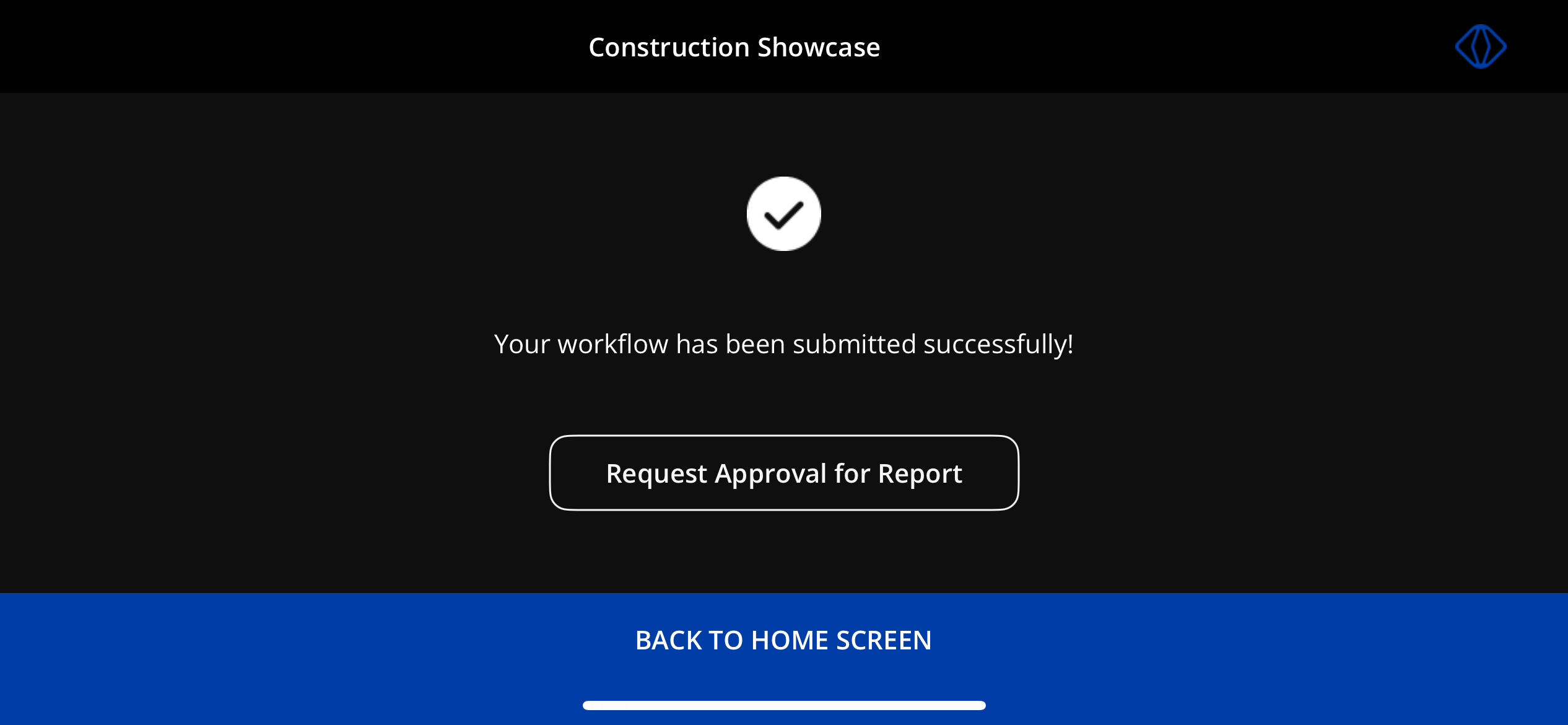
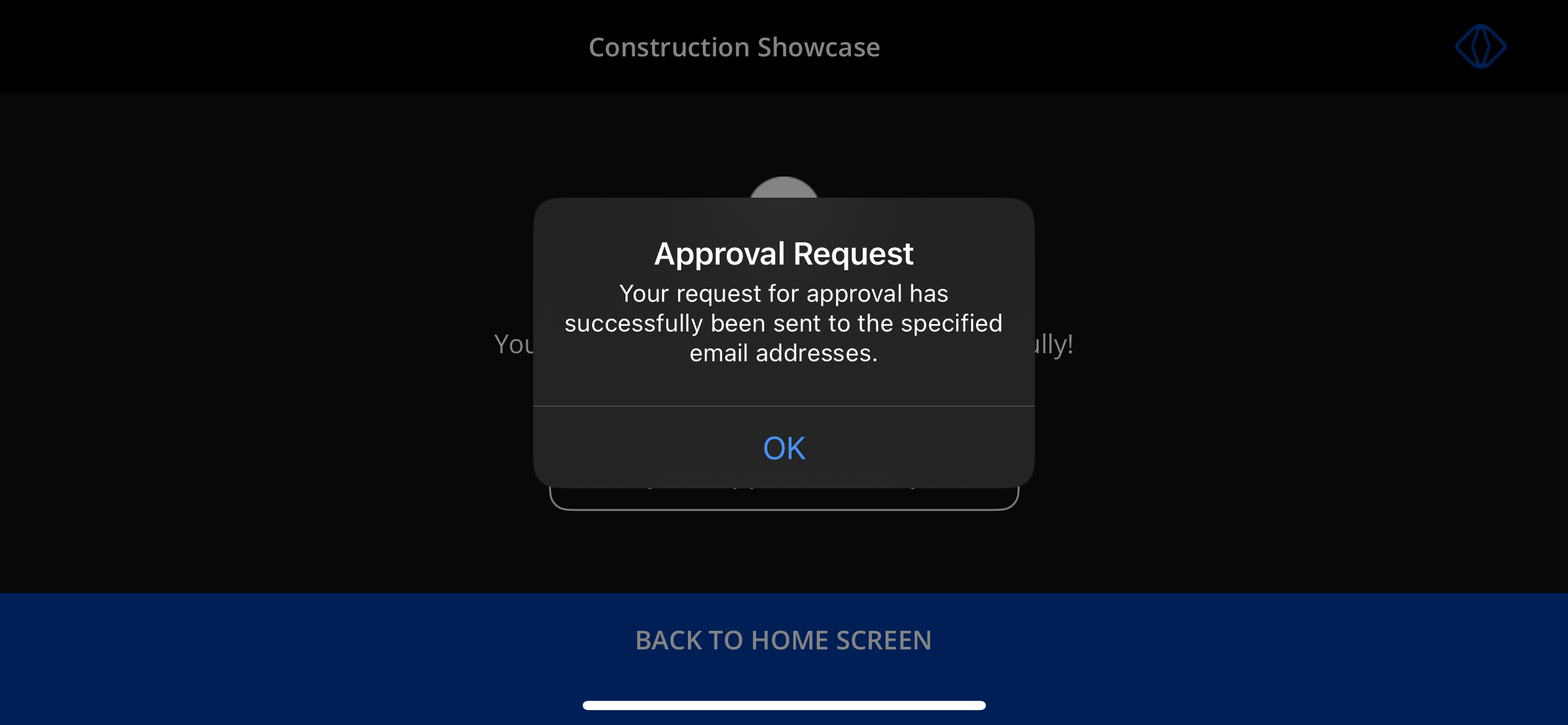
✔️ Yes! Once the workflow is completed, you can request approval for report. After typing in the email address and sending it to the recipient, they will receive an email with a request for approval.
2.2 Smart Glasses & Mobile App
❓ Can I use VSight Workflow on smart glasses?
✔️ Yes! The VSight Workflow app supports smart glasses, allowing hands-free navigation.
❓ Does VSight Workflow work on mobile?
✔️ Yes, the app is available for iOS and Android on the App Store and Google Play.
❓ Can I use VSight Workflow offline?
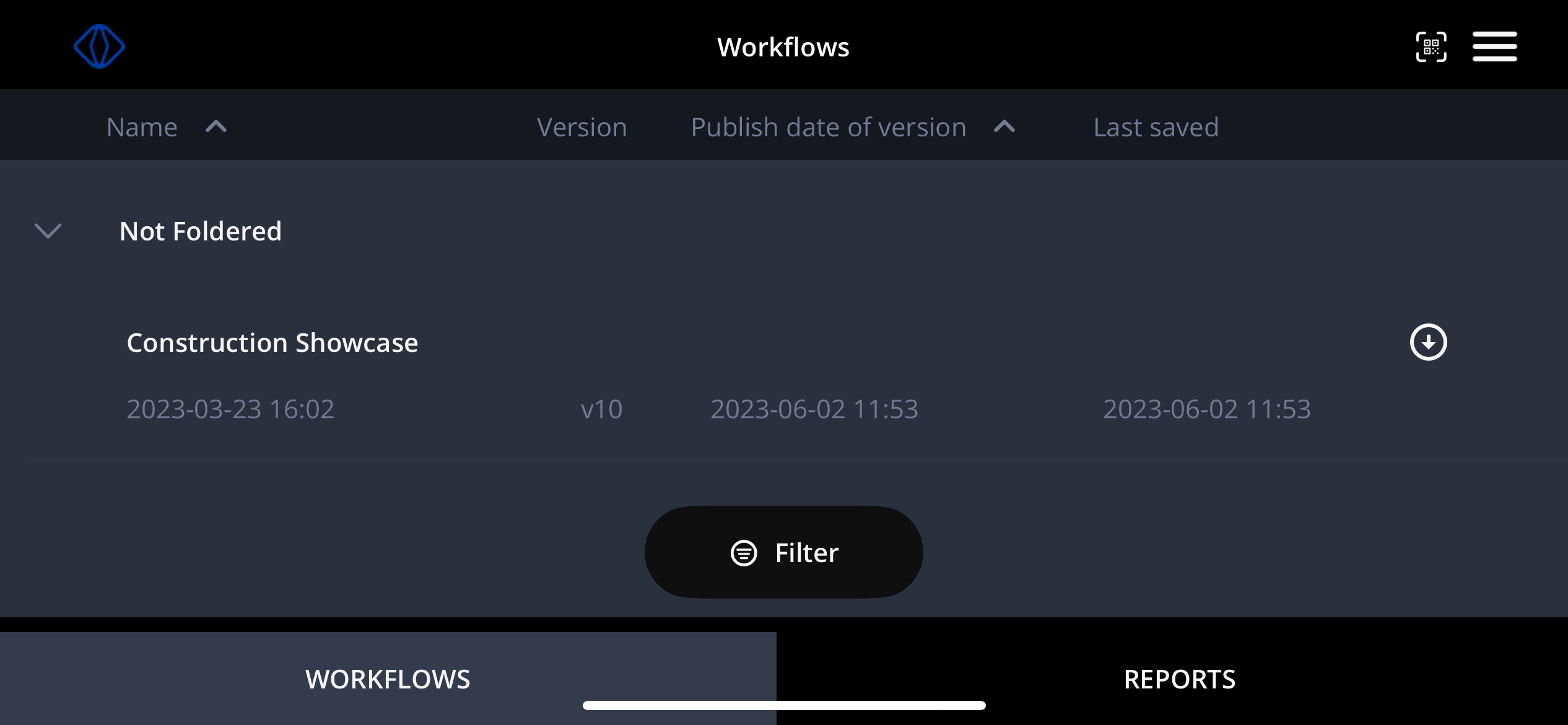
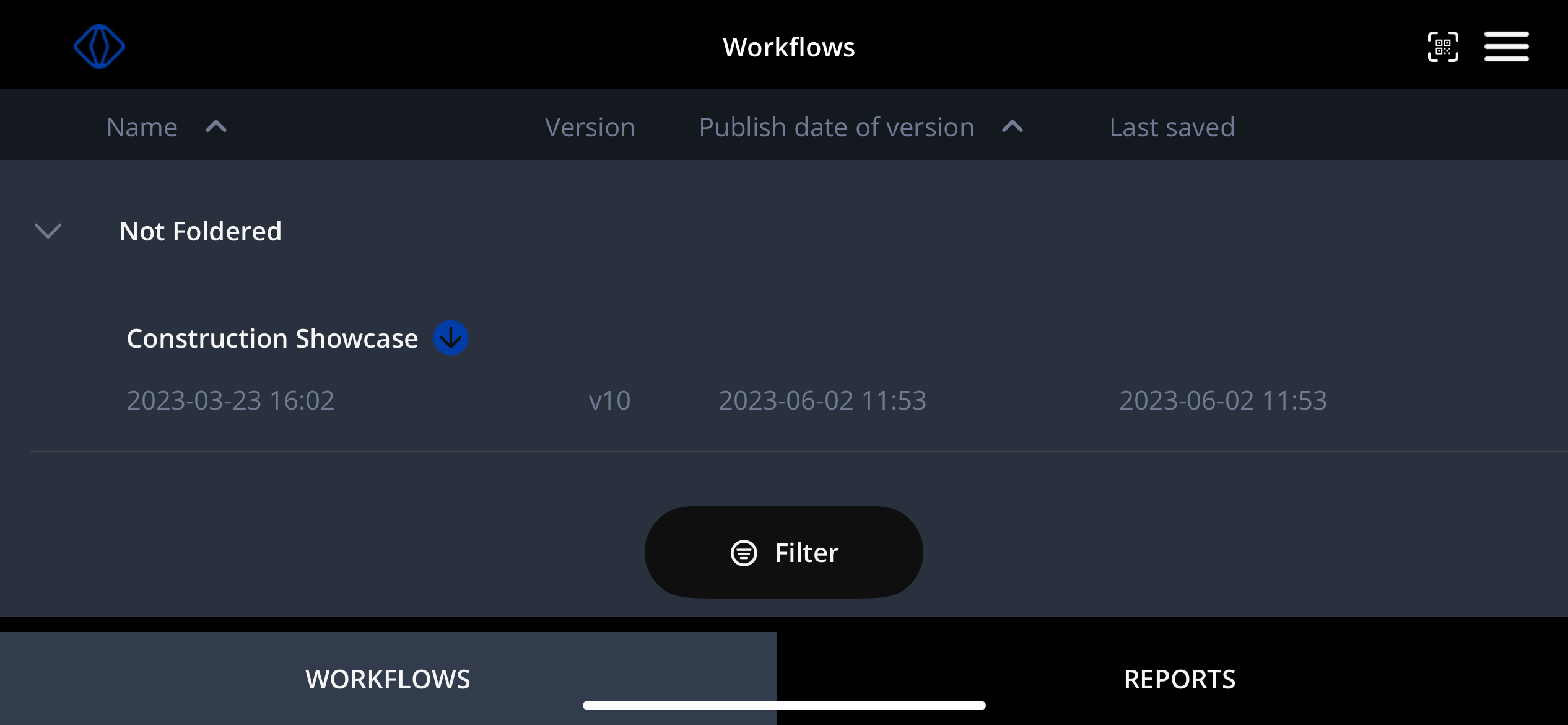
✔️ Yes! You can pre-download the workflows and use them offline. Reports will be generated once you are connected to the internet again.
✅ To use VSight Workflow offline, click on a white arrow. Once downloaded, a blue arrow will appear next to a workflow.
2.3 Security & Permissions
❓ Can I restrict access to certain workflows?
✔️ Yes, workflows can be assigned only to specific users or groups.
❓ Is VSight Workflow secure?
✔️ Yes, all data is encrypted, and access permissions can be controlled at the admin level.
3. How-To Videos
📺 Find VSight Workflow How-To Videos in English here: Vimeo Showcase and German here: Vimeo Showcase.
With these troubleshooting steps and FAQs, you can ensure a smooth experience with VSight Workflow.
📌 Need More Help? – See further information at VSight Help Center or contact support for assistance.